
Slider Dimmer
Use an LVGL slider to control light brightness with two-way sync.
The pattern - same for any continuous control
User drags slider
on_value fires
light.turn_on
with brightness value
HA brightness → slider
sync via sensor attribute
Design a slider in the LVGL designer
Place a Slider widget on your canvas - you'll find it under INPUT in the left panel. Set min_value: 0 and max_value: 255 - that's the brightness range HA uses.
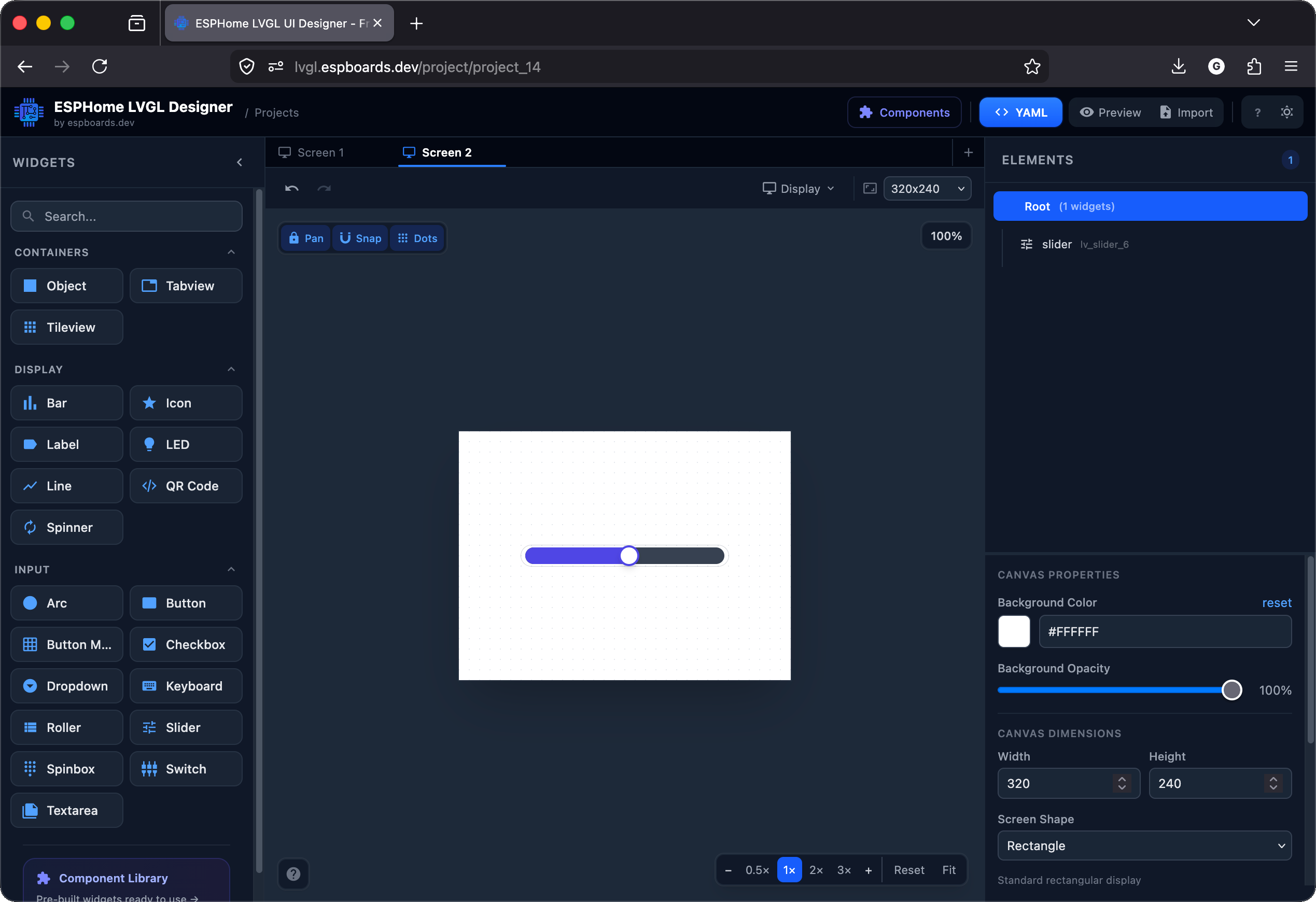
The slider widget on the canvas (the blue horizontal bar). The right panel shows its properties - position, size, min/max values, and the id you'll reference in the YAML.
# Your LVGL slider widget (from the designer)
lvgl:
  pages:
    - id: canvas_2
      bg_color: 0xFFFFFF
      pad_all: 0
      widgets:
        - slider:
            id: brightness_slider
            x: 60
            y: 110
            width: 200
            height: 20
            value: 50
            min_value: 0
            max_value: 255
            bg_color: 0x374151
            radius: 9999
            knob:
              bg_color: 0xFFFFFF
              border_color: 0x4F46E5
              border_width: 2
            indicator:
              bg_color: 0x4F46E5
radius: 9999max_value to 255 so the mapping is 1:1 - no math needed. Find your light's entity ID
Same as before: Developer Tools → States → search for your dimmable light. Make sure it's a light that supports brightness (not just on/off).
Wire up slider ↔ brightness
Two-way, just like the switch: slider → HA brightness, HA brightness → slider.
# Add to your device YAML (root level)

# 1. When slider moves → set HA light brightness
lvgl:
  pages:
    - id: canvas_2
      bg_color: 0xFFFFFF
      pad_all: 0
      widgets:
        - slider:
            id: brightness_slider
            x: 60
            y: 110
            width: 200
            height: 20
            value: 50
            min_value: 0
            max_value: 255
            bg_color: 0x374151
            radius: 9999
            knob:
              bg_color: 0xFFFFFF
              border_color: 0x4F46E5
              border_width: 2
            indicator:
              bg_color: 0x4F46E5
              radius: 9999
            on_release:
              then:
                - homeassistant.service:
                    service: light.turn_on
                    data:
                      entity_id: light.living_room
                      brightness: !lambda 'return (int) x;'

# 2. When HA brightness changes → sync slider position
sensor:
  - platform: homeassistant
    id: ha_brightness
    entity_id: light.living_room
    attribute: brightness
    on_value:
      then:
        - lvgl.slider.update:
            id: brightness_slider
value: !lambda 'return (int) x;'on_valueFires as the user drags - sends brightness to HA in real timedata_templateUses a lambda to pass the slider's current value as brightnessattribute: brightnessSubscribes to the light's brightness attribute, not the on/off statehomeassistant.service calls silently do nothing. See step 4 on the hub page →Using an arc instead of a slider?
Same logic - replace slider with arc and lvgl.slider.update with lvgl.arc.update:
# Alternative: use an arc instead of a slider
# Same concept - different widget, same update actions

lvgl:
  pages:
    - widgets:
        - arc:
            id: brightness_arc
            align: CENTER
            width: 200
            height: 200
            min_value: 0
            max_value: 255
            value: 128
            adjustable: true
            arc_width: 12
            indicator:
              arc_color: 0x4F46E5
              arc_width: 12
            knob:
              bg_color: 0xFFFFFF
              border_color: 0x4F46E5
              border_width: 2
              radius: 9999
              width: 20
              height: 20
            on_value:
              then:
                - homeassistant.service:
                    service: light.turn_on
                    data:
                      entity_id: light.living_room
                    data_template:
                      brightness: !lambda 'return (int) x;'

sensor:
  - platform: homeassistant
    id: ha_brightness
    entity_id: light.living_room
    attribute: brightness
    on_value:
      then:
        - lvgl.arc.update:
            id: brightness_arc
            value: !lambda 'return (int) x;'
Bonus: show percentage next to slider
Add a label and update it alongside the brightness:
# Show the percentage alongside the slider

lvgl:
  pages:
    - widgets:
        - slider:
            id: brightness_slider
            # ... same as above ...
            on_release:
              then:
                - lvgl.label.update:
                    id: brightness_pct
                    text: !lambda |-
                      return str_sprintf("%d%%", (int)(x / 255.0 * 100)).c_str();
                - homeassistant.service:
                    service: light.turn_on
                    data:
                      entity_id: light.living_room
                      brightness: !lambda 'return (int) x;'
        - label:
            id: brightness_pct
            text: "50%"
            align: CENTER
            y: 40
Flash and slide
Flash OTA. Drag the slider - the light should dim smoothly. Change brightness from the HA app - the slider should move to match.
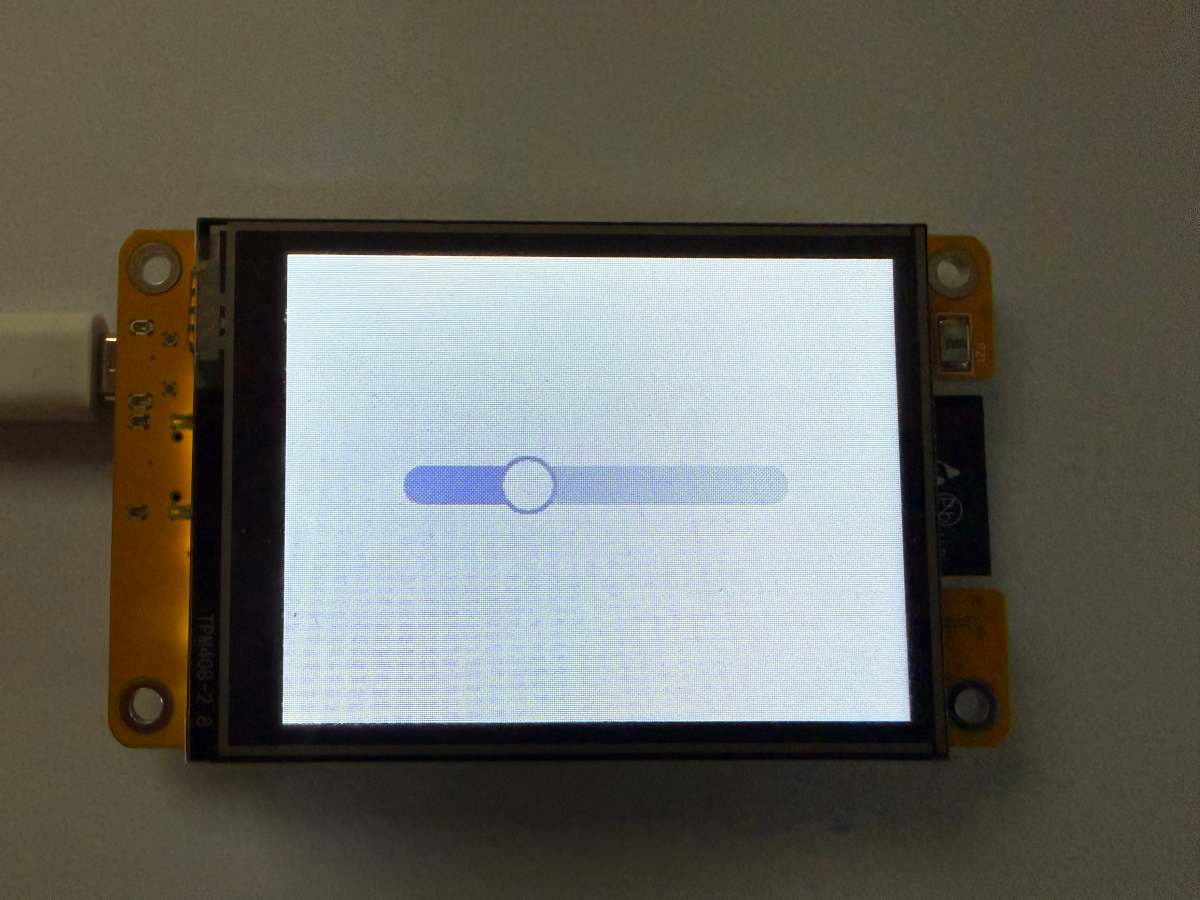
[D][lvgl:slider]: on_value: 180
[D][homeassistant.service]: light.turn_on
brightness: 180
[I][sensor]: brightness → 180
[D][lvgl]: slider update: 180
Checkpoint - Does dragging the slider dim the light - and does the slider move when you change brightness from HA?
If both directions work - you've mastered continuous control. This same pattern works for volume, temperature setpoints, cover position, anything with a numeric range.